Placker integrations connect the tools your team already runs on
Placker reads and writes data across Trello, Microsoft Planner, Google Calendar, Clockify, and Zapier, so your plans, dates, and logged hours stay current in every tool at once. Two-way sync means a change in one place reaches the other inside the sync window, with no manual export.
Quick facts
Integrations in Placker
Placker connects your boards to the tools around them. Here's what that unlocks:
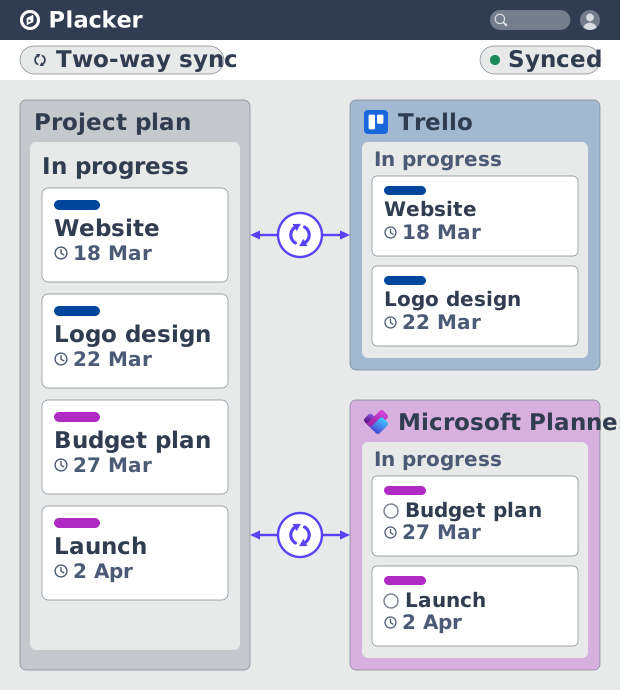
- One workspace, both directions. Trello boards and Microsoft Planner plans stay in two-way sync, so your work lives in one place no matter where it started.
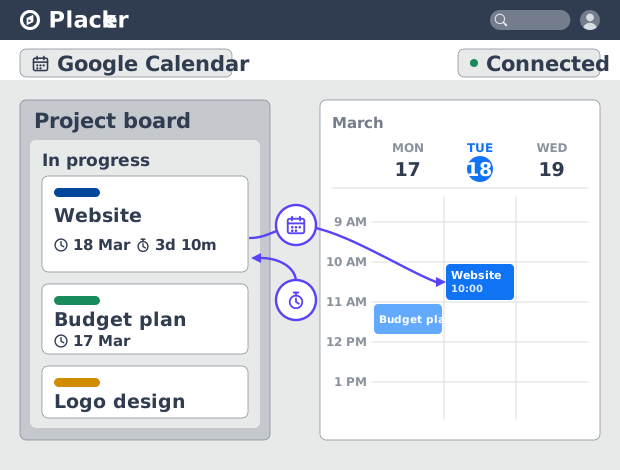
- Your calendar, always current. Cards with a due date show up in Google Calendar and write back the moment you move them.
- Time tracked on the card. Log Clockify time directly on each card without leaving your board.
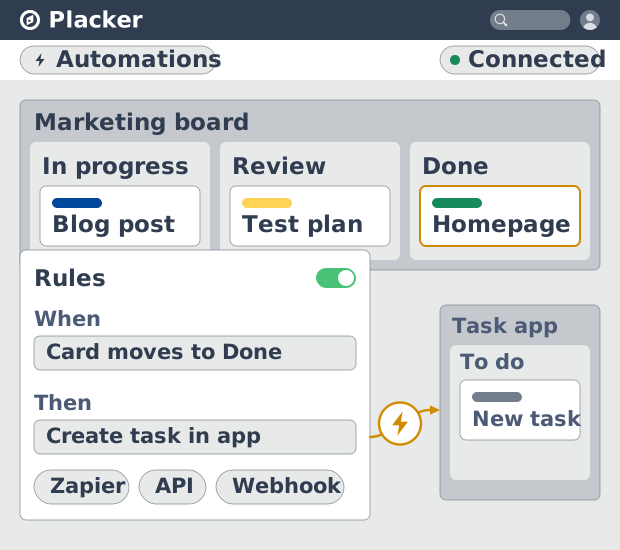
- Thousands of apps, one connection. Reach the rest of your stack through Zapier or the REST API and webhooks.
- Let AI read your boards. The MCP integration lets Claude, ChatGPT, Microsoft Copilot, or Google Gemini read your boards.
Two-way sync
Placker integrations keep one plan across your tools
Your work syncs two ways with Trello and Microsoft Planner. A due date you set on a Placker task writes back to the source board, and a change made there flows into Placker within the sync window. You plan against one timeline, and the people working in the source tool never see a stale copy. The manual re-keying between a planning sheet and the team's board stops.
Time and calendar
See dates and hours where the work happens
That synced task can hold more than a due date. The Google Calendar connector publishes its due dates as calendar events, and Clockify, a time tracking extension, records time on the task itself. Your schedule and your logged hours sit next to the task instead of in two separate apps. When you report on a project, the dates and the time spent come from the same records you planned with.
Webhooks and Zapier
Automate the handoffs you still do by hand
Those same task records can trigger the next step, not just report on it. Zapier, the REST API, and board webhooks let Placker send and receive actions across your stack: when a task changes status, a webhook can notify another system, or a zap can create the next task in a different app. The steps you repeat after every status change become rules that run without you.
How It Works
Open Connectors in your profile, connect a tool and authorise it, set the sync direction and scope, then work in either tool and let the other side follow.
- 1
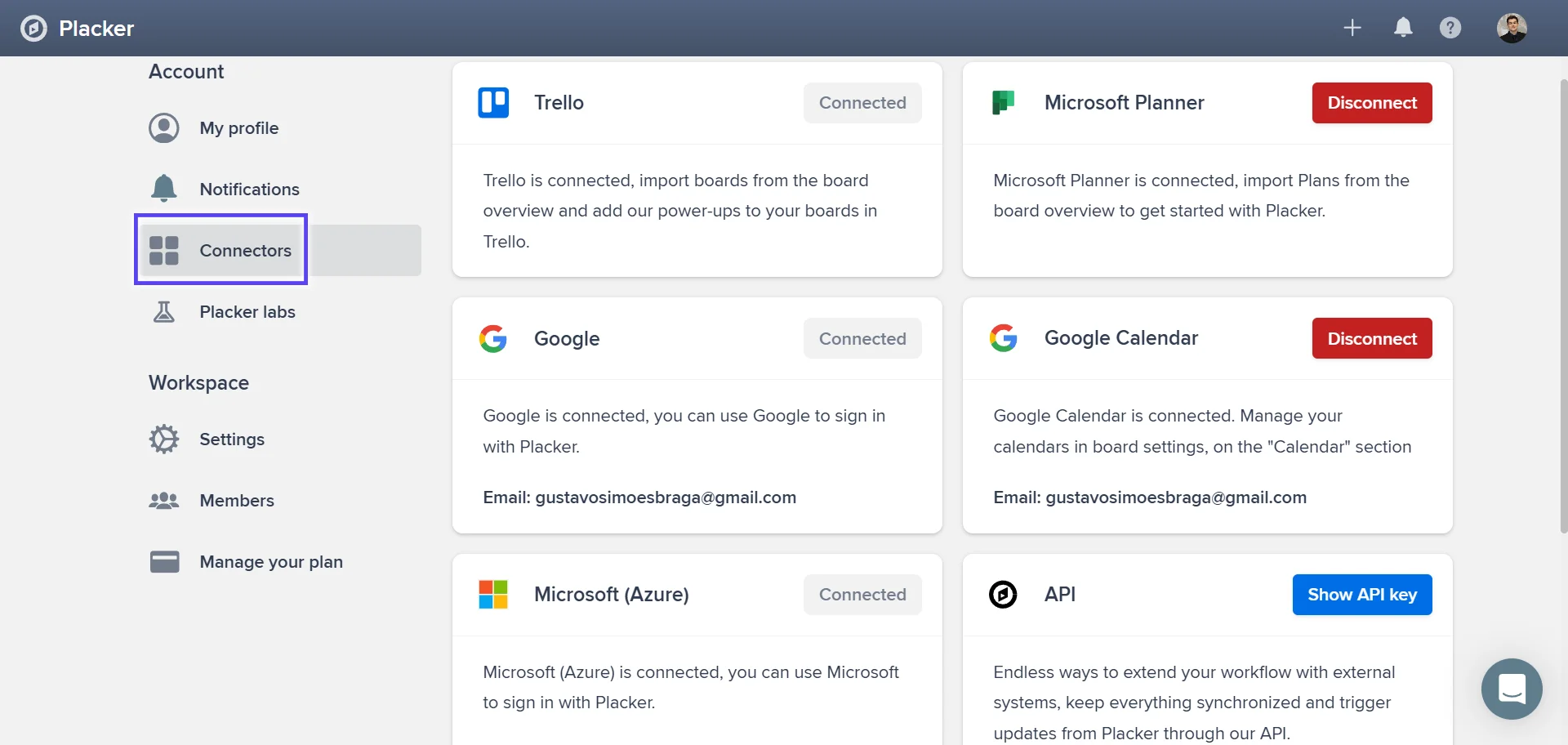
Open Connectors in your profile
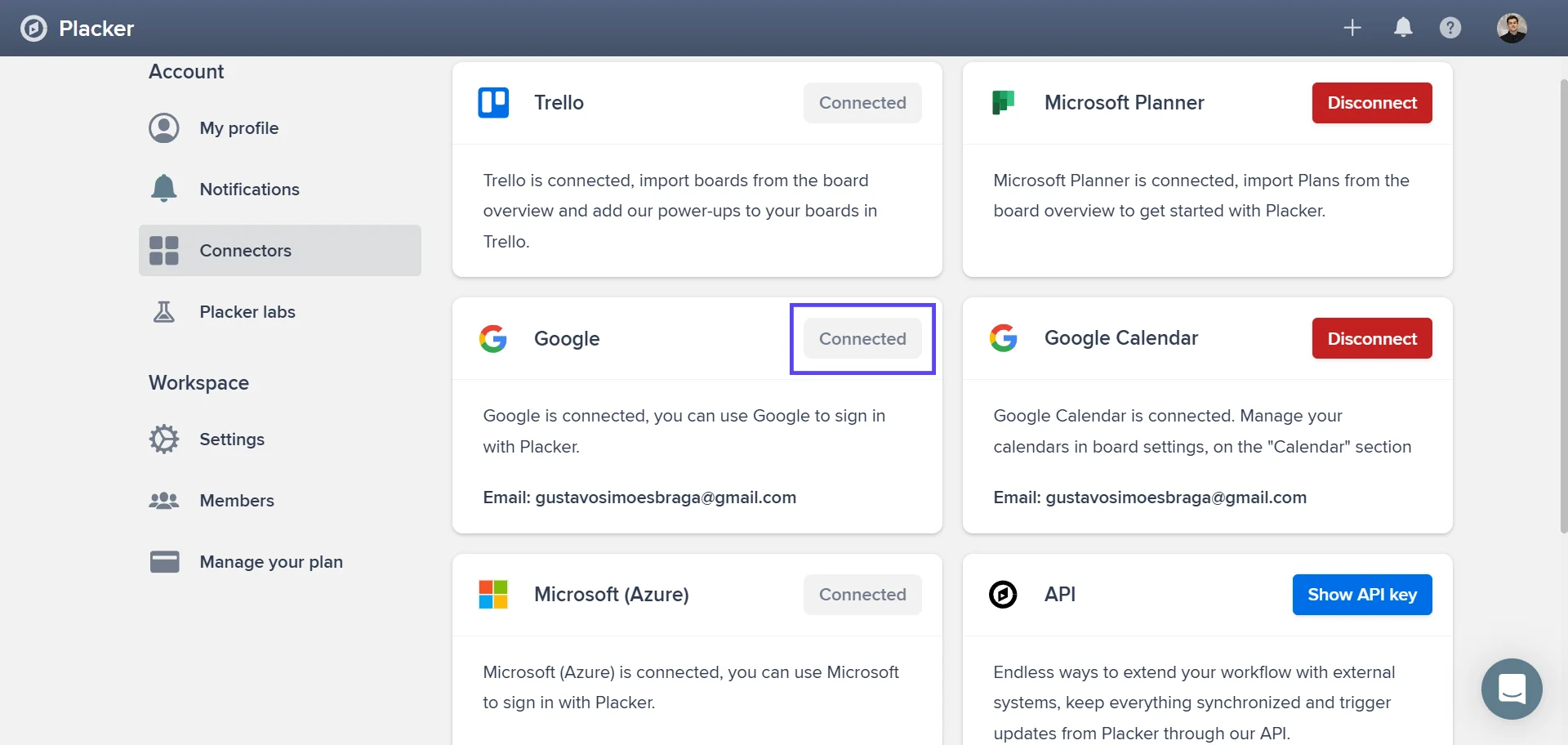
Go to your profile and open the Connectors page. Every integration Placker offers is listed here, from the Trello and Microsoft Planner syncs to Google Calendar, Clockify, and the API key for Zapier.
- 2
Connect a tool
Pick the tool you want to link and authorise it. Placker requests only the access the sync needs, then pulls in the boards, plans, or calendars you choose.
- 3
Set the sync direction
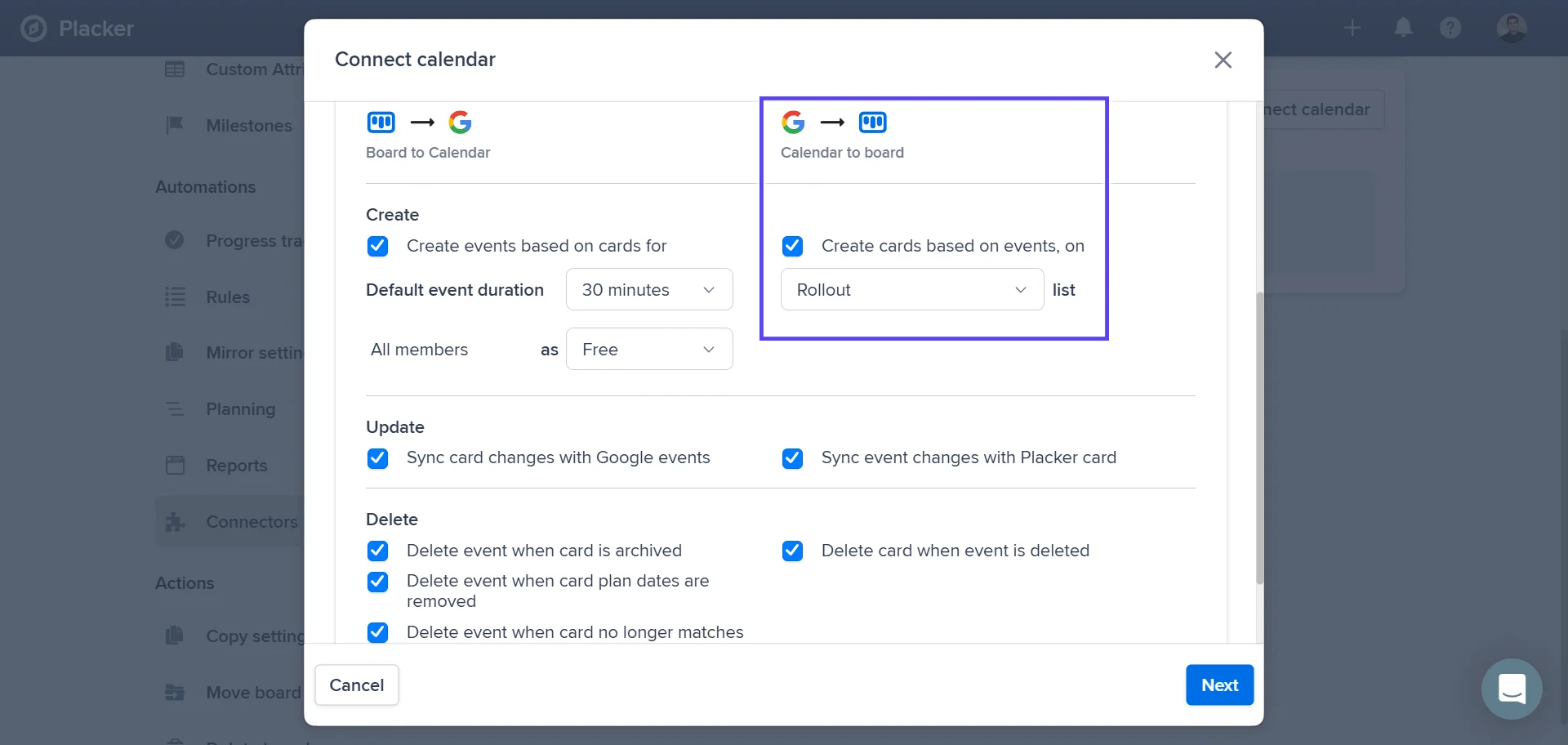
Choose whether data flows one way or both ways, and which fields are in scope. The Google Calendar connector adds options for per-user filtering and full-day events for cards that carry only a due date.
- 4
Work in either tool
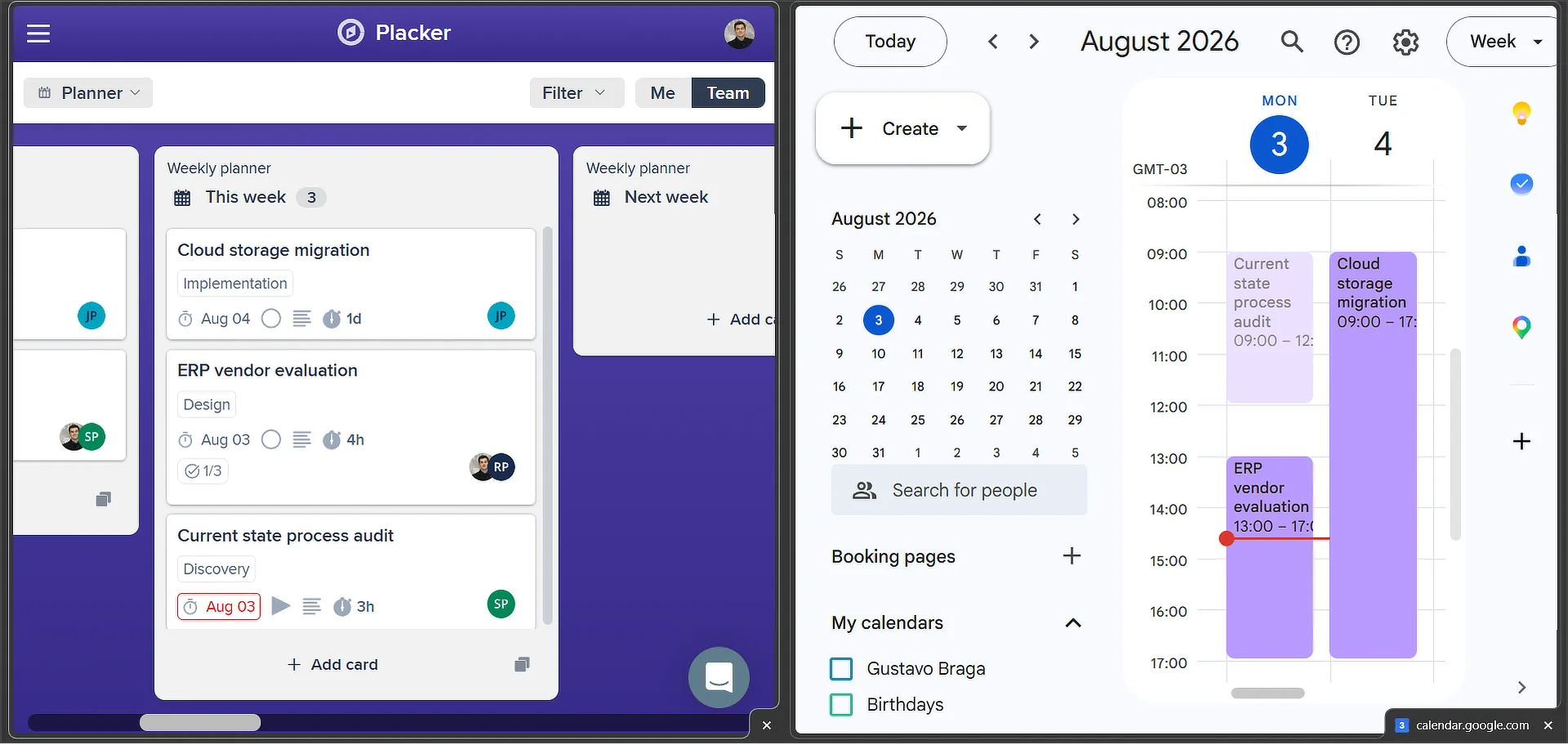
From here you can update a task in Placker or in the source tool, and the other side follows. The Planner sync processes inbound changes every few minutes, and Placker writes its own changes straight back.
Use cases
See how teams use Placker's integrations to keep their projects in sync with the rest of their stack.
Distributed team with Slack sync
A distributed product team connects Placker to Slack so every status change and new assignment triggers a message in the relevant project channel. Updates reach the team the moment they happen, keeping everyone aligned without extra meetings.
Manager with unified calendar
A delivery manager syncs all Placker task due dates to a shared Google Calendar to get a cross-project deadline view without switching tools. Rescheduled tasks update the calendar immediately, making schedule conflicts visible before they become a problem.
Reporting lead with export pipeline
A PMO analyst uses Placker's export integration to pull project data into a spreadsheet weekly. The data feeds a board-level progress report that gets shared with stakeholders each Monday, replacing a time-consuming manual status update.
Tips & Best Practices
Practical advice to get the most out of your workflow
Connect Placker to Google Calendar to see your tasks alongside your schedule
Turn on Google Calendar Sync and every dated card appears next to your meetings, so you can plan realistic workloads and spot scheduling conflicts in one view.
Use Placker’s Slack integration to bring project updates into your team’s conversations
Get notifications about task changes, comments, and progress directly in Slack. Your team stays informed without having to switch to Placker just to check for updates.
Export to Excel or CSV to analyze your project data in a spreadsheet
Use Placker’s export features to pull your task data into Excel. Filter, pivot, and build custom charts from your project data for reporting, trend analysis, or sharing with people who don’t have Placker access.
Let Automation rules act on what your integrations bring in
When a synced change lands from Trello, Planner, or your calendar, pair it with Automation so a Placker rule reassigns the card, sets a due date, or moves it forward without anyone touching it.
Related pages
Board views: one board, any view
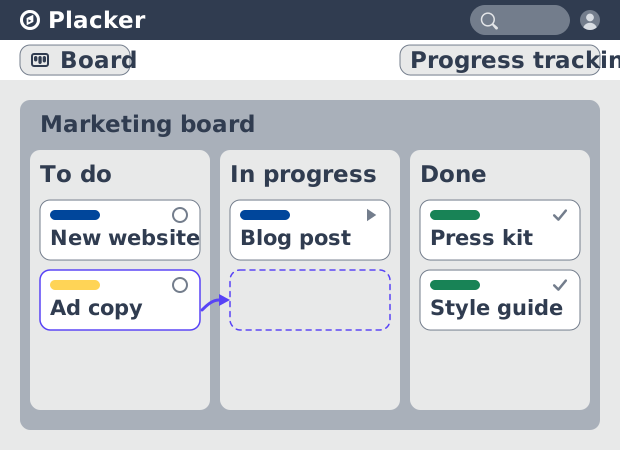
See all your work as cards moving across lists in Placker. Group by member, swimlane, or due date, and track flow with Kanban reports. See how it works.
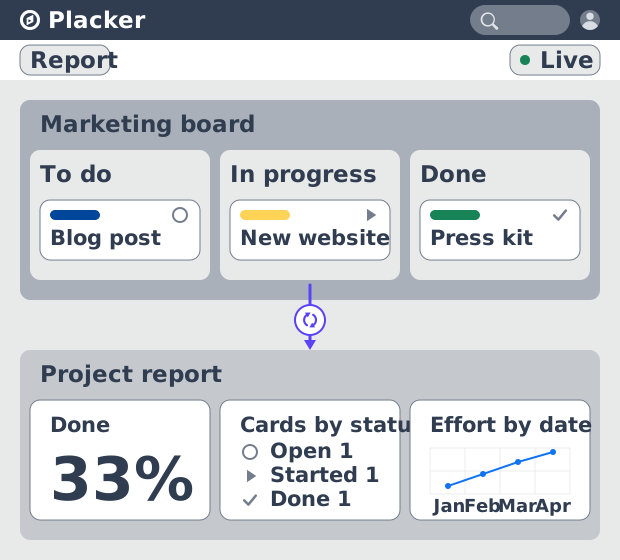
Project dashboards and reports
Build live project dashboards from your tasks. KPI widgets, pivot tables, portfolio roll-ups, and scheduled PDF reports. Start a free Placker trial.
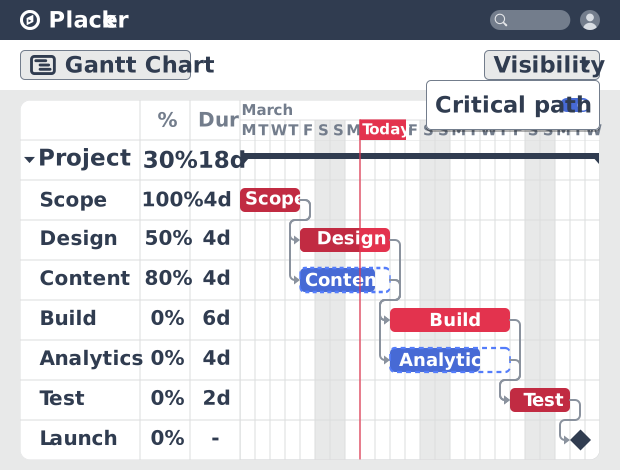
Gantt chart software with auto-scheduling
Plan projects on a visual timeline with Placker's Gantt chart software. Set dependencies, auto-schedule dates, and track the critical path.
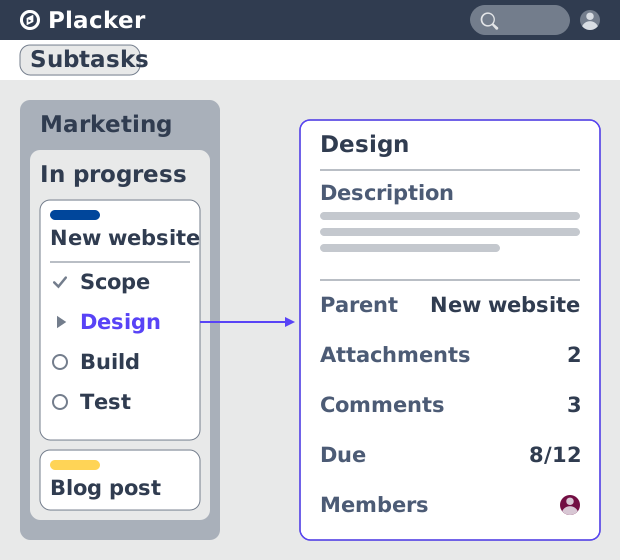
Parent-Child Cards in Placker | Subtasks that roll up
Parent-child cards in Placker give every subtask a full card and roll effort, dates and members up to the parent. Read the total on top.
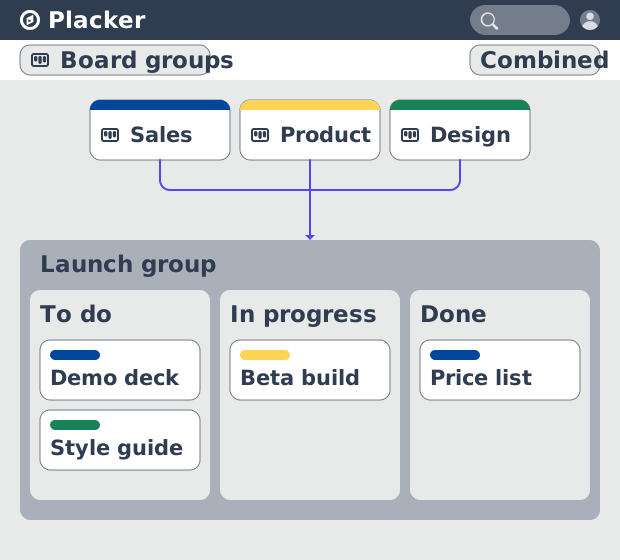
Board Groups: many boards, managed as one
Board Groups let you manage many boards as one workspace: plan, filter, and report across all of them, and save reusable groups. Start a free trial.
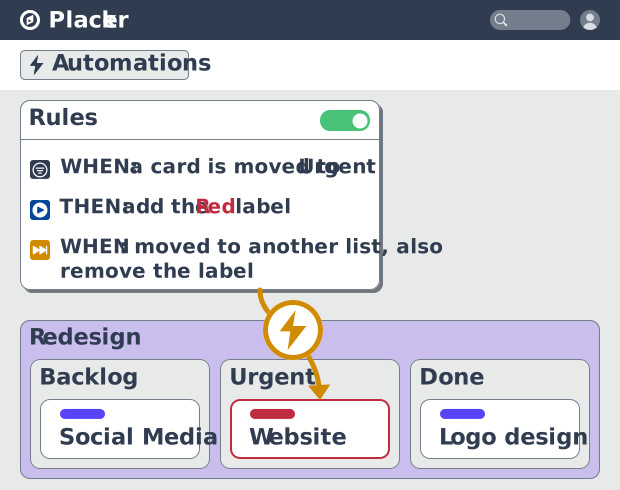
Project board automation rules, no-code
Automate project boards with condition-based rules. Placker mirrors, moves, assigns, and updates cards when work changes. See how it works.
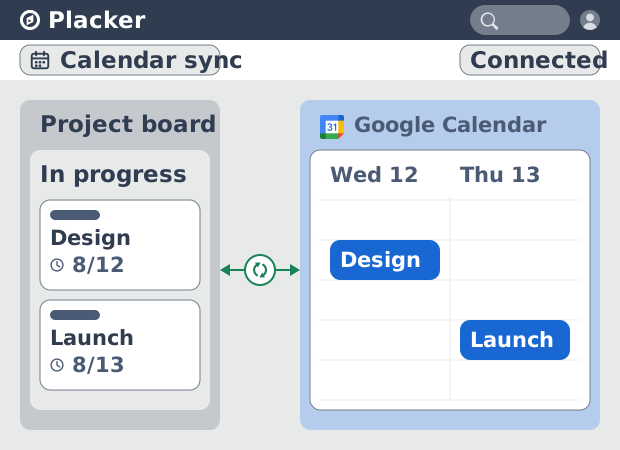
Placker Google Calendar sync: two-way, real-time
Placker syncs every dated card on your boards to Google Calendar, two-way, in under a minute. Edit either tool; both stay aligned. Start free.
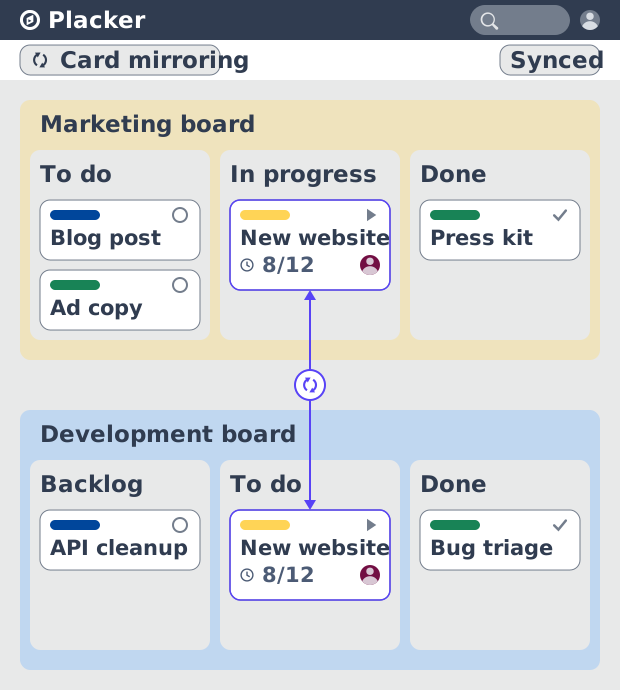
Card Mirror & sync in Placker: 2-way card sync
Card Mirror and sync keeps one task live across every Placker board. Edit a card once and status, dates and members update in seconds. Start a free trial.
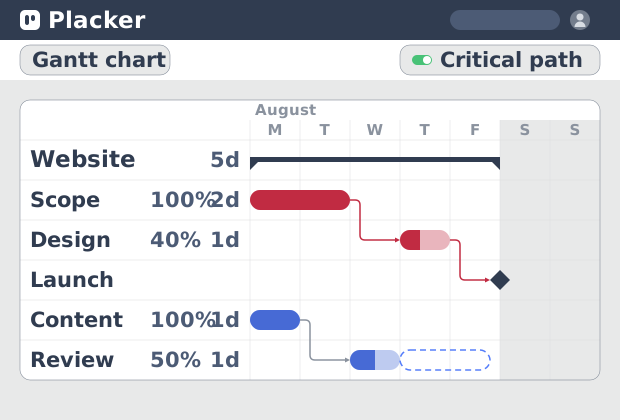
Critical path Placker: Gantt chart CPM analysis
Critical path in Placker finds the tasks that control your deadline and flags them on the Gantt, updating live as dependencies shift. Start a free trial.
Ready to get started?
Easy to setup, no credit card required, start your trial today!